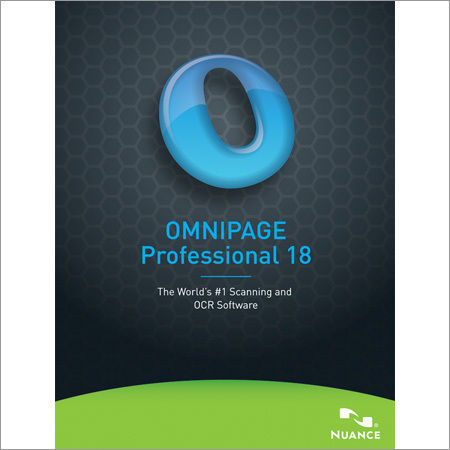
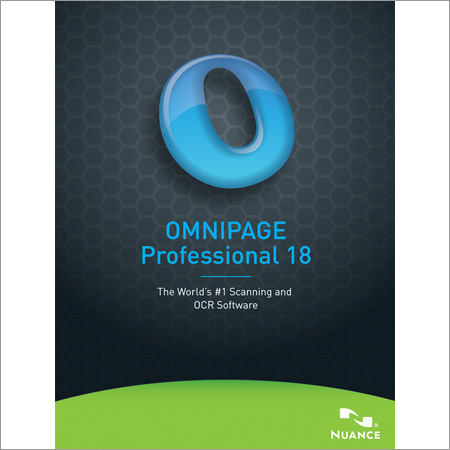
Metal Omnipage Professional 18 Software
Get Latest Price

In Stock
Product Specifications
| Software Version | 18 |
| Primary Function | Document conversion |
| File Formats | PDF, paper |
| Output Formats | Editable Documents |
| OS Compatibility | Windows |
| Usage | Document scanning, OCR, and conversion for efficient document management and data extraction. |
| License Type | Single User |
| Features | OCR accuracy, Perfect formatting, Cloud connectivity, Batch processing, Document search, Form automation |
| GSTIN | 0% |
Product Overview
Key Features
Omnipage Professional 18
Don't Just Convert Documents, Transform Them With OmniPage Professional 18
Today, the continued use of paper slows organizations down and frequently leads to "knowledge re-creation." Not only does this waste workers' time--as they're forced to re-create information from existing paper forms or search for misplaced documents--but it is also a drain on overall productivity and profitability.
The question remains: "how can you get the document into the format you want without having to do extensive re-typing or re-editing?"
Now the answer is OmniPage Professional 18. This innovative solution lets you convert paper, PdF files, and forms at lightning speed into documents you can edit on your PC or archive in a document repository. Amazing accuracy, combined with batch processing and comprehensive network features, make it the perfect choice for organizations of all kinds.
Maximize Productivity with the eDiscovery Assistant for Searchable PDF
PDF files are everywhere and can come from a variety of sources. They can include scanned pages, embedded images, and other types of information. Yet, many of these elements don't include searchable text. The new eDiscovery Assistant for searchable PDF is a revolution in safely converting a single PDF or batches of PDFs of all types into completely searchable documents. Now you don't have to open PDF files individually, or use an OCR process that may unintentionally wipe out valuable information.
Access and Convert Documents in the Cloud
Storing, sharing, and archiving documents using cloud storage services is a fast and convenient option today. OmniPage Professional is designed to easily connect to a variety of cloud storage and online document . Now you can access and convert documents stored in Windows Live SkyDrive, GoogleDocs, Evernote, Dropbox, and many other storage options. You can even open documents directly from one cloud service, convert them, and store them in a different cloud service--all in one convenient step.
With OmniPage Professional, you can
Superior OCR accuracy
Improved OCR engines deliver amazing accuracy for document conversion and archiving business-critical documents.
Perfect formatting
Converted documents look like the original--complete with columns, tables, bullets, and graphics--and are easier to edit than ever before.
Connectivity and conversion in the cloud
Convert documents stored in Windows Live SkyDrive, GoogleDocs, Evernote, Dropbox, and many more.
Mobile document capture
Use images from iPhone, iPad, or a digital camera and convert them into a readable format for mobile devices and electronic book readers.
Complete forms processing
Convert paper forms to fillable forms and distribute electronically. OmniPage can collect data from PDF or paper forms and export to a spreadsheet- or database-compliant format.
Recognition for 120 languages
Process, edit, and store documents from virtually anywhere in the world. OmniPage Professional includes the recognition of languages based on the Latin, Greek, and Cyrillic alphabets as well as the Chinese, Japanese, and Korean languages.
Built-in automatic redaction and highlight
Redact or black out confidential text or quickly locate information with highlights. OmniPage can recognize and automatically mark up your text based on a list of key words.
Improved application support
OmniPage Professional now supports the widest range of output formats, including PDF, Word, Excel, PowerPoint (pptx), HTML, Corel WordPerfect, and many more.
Discover all the advantages the right document conversion and management solution can deliver.
Discover OmniPage Professional 18 today.
Don't Just Convert Documents, Transform Them With OmniPage Professional 18
Today, the continued use of paper slows organizations down and frequently leads to "knowledge re-creation." Not only does this waste workers' time--as they're forced to re-create information from existing paper forms or search for misplaced documents--but it is also a drain on overall productivity and profitability.
The question remains: "how can you get the document into the format you want without having to do extensive re-typing or re-editing?"
Now the answer is OmniPage Professional 18. This innovative solution lets you convert paper, PdF files, and forms at lightning speed into documents you can edit on your PC or archive in a document repository. Amazing accuracy, combined with batch processing and comprehensive network features, make it the perfect choice for organizations of all kinds.
Maximize Productivity with the eDiscovery Assistant for Searchable PDF
PDF files are everywhere and can come from a variety of sources. They can include scanned pages, embedded images, and other types of information. Yet, many of these elements don't include searchable text. The new eDiscovery Assistant for searchable PDF is a revolution in safely converting a single PDF or batches of PDFs of all types into completely searchable documents. Now you don't have to open PDF files individually, or use an OCR process that may unintentionally wipe out valuable information.
Access and Convert Documents in the Cloud
Storing, sharing, and archiving documents using cloud storage services is a fast and convenient option today. OmniPage Professional is designed to easily connect to a variety of cloud storage and online document . Now you can access and convert documents stored in Windows Live SkyDrive, GoogleDocs, Evernote, Dropbox, and many other storage options. You can even open documents directly from one cloud service, convert them, and store them in a different cloud service--all in one convenient step.
With OmniPage Professional, you can
- Take advantage of superior word accuracy to re-create documents quickly
- Maintain formatting so a converted document looks exactly like the original
- Make documents completely searchable while preserving existing text
- Batch convert paper and PDF files into documents you can edit and archive
- Automate the collection and conversion of forms and data
- Connect with leading cloud storage services and convert documents in them
- Redact and highlight automatically with workflows
Superior OCR accuracy
Improved OCR engines deliver amazing accuracy for document conversion and archiving business-critical documents.
Perfect formatting
Converted documents look like the original--complete with columns, tables, bullets, and graphics--and are easier to edit than ever before.
Connectivity and conversion in the cloud
Convert documents stored in Windows Live SkyDrive, GoogleDocs, Evernote, Dropbox, and many more.
Mobile document capture
Use images from iPhone, iPad, or a digital camera and convert them into a readable format for mobile devices and electronic book readers.
Complete forms processing
Convert paper forms to fillable forms and distribute electronically. OmniPage can collect data from PDF or paper forms and export to a spreadsheet- or database-compliant format.
Recognition for 120 languages
Process, edit, and store documents from virtually anywhere in the world. OmniPage Professional includes the recognition of languages based on the Latin, Greek, and Cyrillic alphabets as well as the Chinese, Japanese, and Korean languages.
Built-in automatic redaction and highlight
Redact or black out confidential text or quickly locate information with highlights. OmniPage can recognize and automatically mark up your text based on a list of key words.
Improved application support
OmniPage Professional now supports the widest range of output formats, including PDF, Word, Excel, PowerPoint (pptx), HTML, Corel WordPerfect, and many more.
Discover all the advantages the right document conversion and management solution can deliver.
Discover OmniPage Professional 18 today.
Company Details
THE VOICE RECOGNITION COMPANY, Established in 1998 at Navi Mumbai in Maharashtra, is a leading Supplier,Trading Company,Retailer of Software in India. THE VOICE RECOGNITION COMPANY is one of Trade India's verified and trusted sellers of listed products. With extensive experience in supplying and trading undefined, THE VOICE RECOGNITION COMPANY has made a reputed name for itself in the market with high-quality Document Management Software, Dragon Dictate Speech Recognition Software for Mac, Dragon Dictate Voice Recognition Software for Mac, etc.
Focusing on a customer-centric approach, THE VOICE RECOGNITION COMPANY has a pan-India presence and caters to a huge consumer base throughout the country. Buy Software in bulk from THE VOICE RECOGNITION COMPANY at Trade India quality-assured products.
Focusing on a customer-centric approach, THE VOICE RECOGNITION COMPANY has a pan-India presence and caters to a huge consumer base throughout the country. Buy Software in bulk from THE VOICE RECOGNITION COMPANY at Trade India quality-assured products.
Business Type
Supplier, Trading Company, Retailer
Employee Count
25
Establishment
1998
Working Days
Monday To Sunday
GST NO
27AACPG6725C1Z3
Related Products

Including Specialized Toolsets Cad Software For Windows
Price: 95000 INR
MOQ - 1 Unit/Units
Technovieren Systems
Pune, Maharashtra

Autodesk Software - Subscription License, Windows & macOS & Linux Compatibility, Cloud Integration , API Support & Version Control
Swicons Consultancy Service Pvt. Ltd.
Mumbai, Maharashtra
Explore Related Categories





More Products From This Seller
Seller Details

GST - 27AACPG6725C1Z3
Navi Mumbai, Maharashtra
Country Head
Mr. Amit Sharma
Address
Level 13, Platinum Techno Park 17 & 18, Sector 30 Navi Mumbai, Maharashtra, 400705, India
autodesk software in Navi Mumbai
Report incorrect details